iPTV Pro电视版支持安卓手机及电视盒子TV版本,该版本已解除专业版功能限制,只需导入直播源,即可观看各类频道资源。小编在此详细介绍了操作步骤,建议大家仔细阅读,堪称影视直播的高效工具,支持无限添加,无广告干扰,有需要的朋友欢迎下载体验!
iPTV Pro专业版背景
iPTV Pro即交互式网络电视,是一种结合宽带网络、互联网、多媒体和通信技术的创新服务,为家庭用户提供了包括数字电视在内的多种互动服务。它能够很好地适应当前网络快速发展的趋势,充分有效地利用网络资源。您可以通过互联网服务提供商收看iPTV,或从网络上的其他来源观看免费的直播电视频道。
iPTV Pro TV版功能
电视频道的网格、列表或图块视图
支持XMLTV和JTV格式的EPG
支持M3U和XSPF播放列表
播放列表历史记录
使用UDP代理播放多播流(需在本地局域网中安装代理)
解锁专业版与免费版的区别
无广告
扩展的播放列表历史
全球定制资源,涵盖所有国家,包括中国各大卫视,高清画质一应俱全
适用于手机、电视、大屏设备、机顶盒等
在意外断开连接时可自动重新连接至流服务器(仅限HTTP流)
可在设备启动选项中启动应用,对机顶盒非常有用
自动播放最后一个频道
iPTV Pro使用详细教程
iPTV Pro如何添加直播源
1、安卓手机
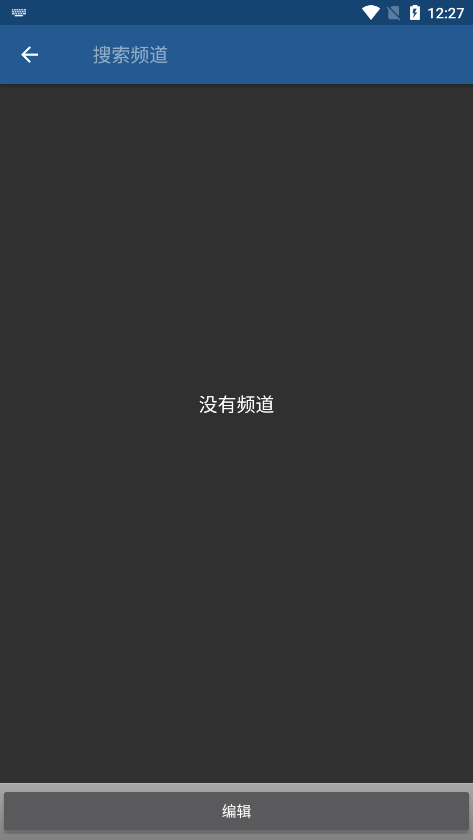
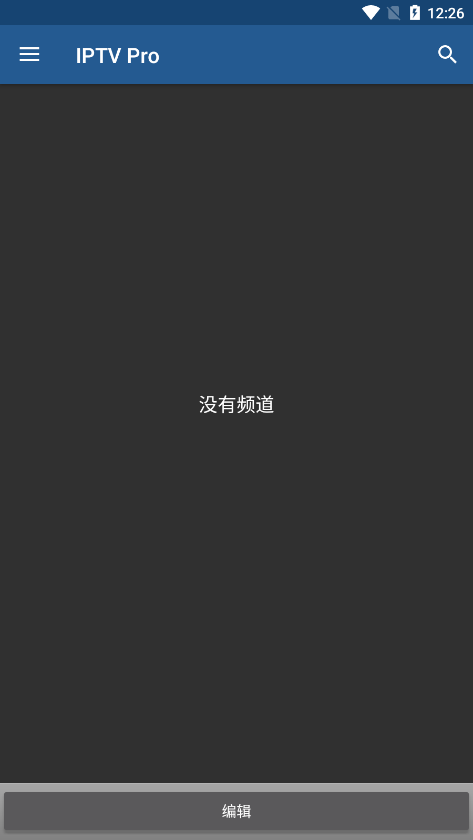
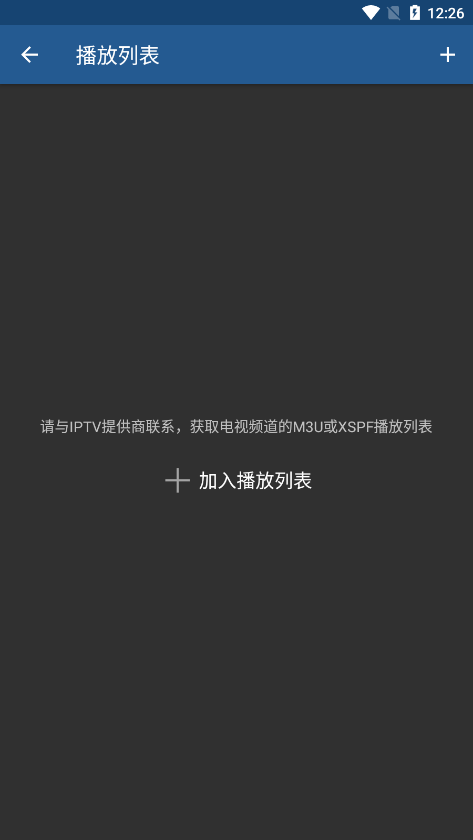
进入应用,点击底部编辑;
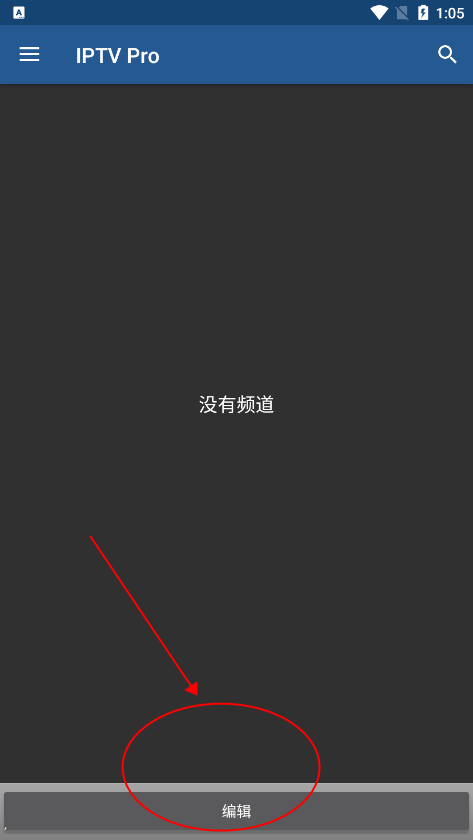
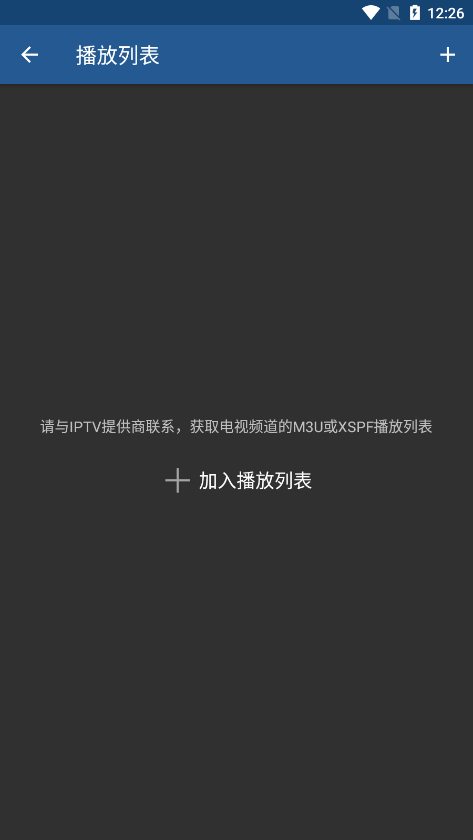
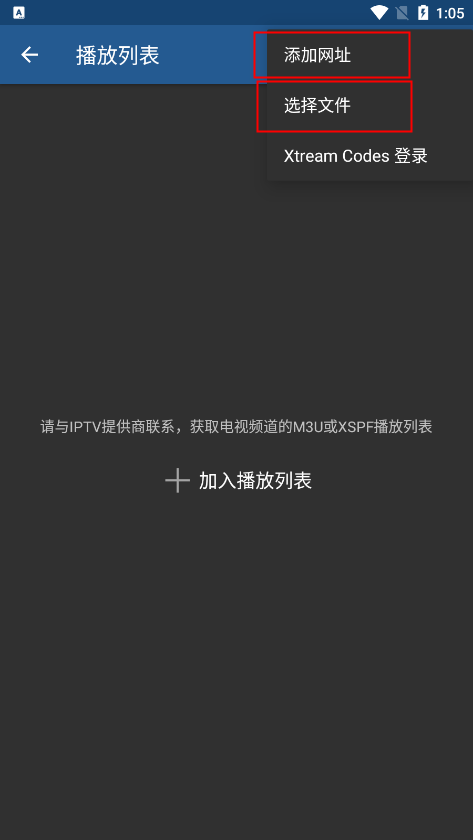
在编辑页面,选择网址或文件;
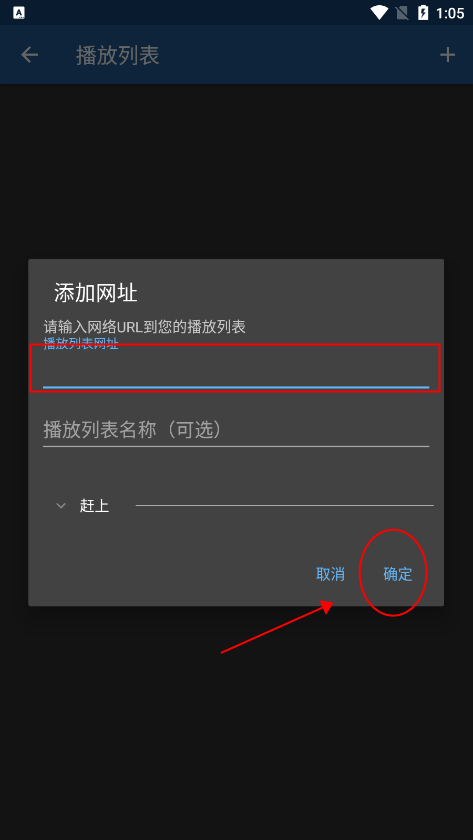
如选择网址,在添加页面输入网址,点击确认即可获取频道。
2、苹果手机
打开苹果手机的App Store,搜索“SPlayer”,选择免费版本下载安装;
点击“直播源”,选择“拷贝到‘SPlayer’”即可完成导入!
3、电视盒子
盒子或智能电视可通过蓝牙将M3U直播源传输过去,找到蓝牙文件夹Bluetooth并导入直播源即可。
部分设备支持通过U盘拷贝至电视或盒子,用遥控器打开M3U格式直播源,选择IPTVPro打开即可。
iPTV Pro直播源M3U大全
https://www.goodiptv.club/bililive.m3u bilibili直播
https://mirror.ghproxy.com/https://raw.githubusercontent.com/Ftindy/IPTV-URL/main/cqyx.m3u CQYX源
https://mirror.ghproxy.com/https://raw.githubusercontent.com/Ftindy/IPTV-URL/main/yqgd.m3u YQGD源
https://mirror.ghproxy.com/https://raw.githubusercontent.com/Ftindy/IPTV-URL/main/IPTV.m3u 4K/8K源
https://mirror.ghproxy.com/https://raw.githubusercontent.com/Ftindy/IPTV-URL/main/hbgd.m3u HBGD源
https://mirror.ghproxy.com/https://raw.githubusercontent.com/Ftindy/IPTV-URL/main/msp.m3u MSP源
https://goodiptv.vercel.app/huyayqk.m3u 虎牙一起看
https://goodiptv.vercel.app/douyuyqk.m3u 斗鱼一起看
https://goodiptv.vercel.app/yylunbo.m3u?url=https://myvercel-iota.vercel.app YY轮播
https://raw.githubusercontent.com/BigBigGrandG/IPTV-URL/release/Gather.m3u BigBigGrandG源
https://mirror.ghproxy.com/https://raw.githubusercontent.com/Kimentanm/aptv/master/m3u/iptv.m3u APTV IPv6
https://mirror.ghproxy.com/https://raw.githubusercontent.com/Kimentanm/aptv/master/m3u/aptv-playback.m3u APTV 回放测试源
https://mirror.ghproxy.com/https://raw.githubusercontent.com/Kimentanm/aptv/master/m3u/ya.m3u APTV 虎牙
https://mirror.ghproxy.com/https://raw.githubusercontent.com/YanG-1989/m3u/main/Gather.m3u YanG Gather
https://mirror.ghproxy.com/https://raw.githubusercontent.com/YanG-1989/m3u/main/yu.m3u YanG 斗鱼
https://mirror.ghproxy.com/https://raw.githubusercontent.com/YueChan/Live/main/IPTV.m3u YueChan IPv6
https://mirror.ghproxy.com/https://raw.githubusercontent.com/YueChan/Live/main/Radio.m3u YueChan Radio
https://mirror.ghproxy.com/https://raw.githubusercontent.com/zhanghongguang/zhanghongguang.github.io/main/IPV6_IPTV.m3u ZHG IPv6
https://mirror.ghproxy.com/https://raw.githubusercontent.com/zhanghongguang/zhanghongguang.github.io/main/playlist.m3u ZHG Playlist
https://mirror.ghproxy.com/https://raw.githubusercontent.com/zhanghongguang/zhanghongguang.github.io/main/CNTV.m3u ZHG CNTV
https://mirror.ghproxy.com/https://raw.githubusercontent.com/zhanghongguang/zhanghongguang.github.io/main/SamsungTVPlus.m3u ZHG SamsungTVPlus
https://mirror.ghproxy.com/https://raw.githubusercontent.com/zhanghongguang/zhanghongguang.github.io/main/EdemTV.m3u ZHG EdemTV
https://mirror.ghproxy.com/https://raw.githubusercontent.com/whpsky/iptv/main/IPTV-IPV6.m3u whpsky-IPV6
https://mirror.ghproxy.com/https://raw.githubusercontent.com/whpsky/iptv/main/chinatv.m3u whpsky-ChinaTVM3u
https://mirror.ghproxy.com/https://raw.githubusercontent.com/whpsky/iptv/main/chinatv.txt whpsky-ChinaTVTxt
https://mirror.ghproxy.com/https://raw.githubusercontent.com/zbefine/iptv/main/iptv.m3u zbefine-m3u
https://mirror.ghproxy.com/https://raw.githubusercontent.com/zbefine/iptv/main/iptv.txt zbefine-txt
https://mirror.ghproxy.com/https://raw.githubusercontent.com/vamoschuck/TV/main/M3U 茶客
https://mirror.ghproxy.com/https://raw.githubusercontent.com/wuyun999/wuyun/main/zb/aptv.txt 乌云
https://mirror.ghproxy.com/https://raw.githubusercontent.com/hussobaba/AILE-Tv/main/TEBER_TV.m3u AILE-TV
https://mirror.ghproxy.com/https://raw.githubusercontent.com/goolguy007/radioer/main/TVradio TVradio
https://epg.pw/test_channels.m3u epg.pw 中国地区可观看
https://epg .pw/test_channels_banned_cn.m3u epg.pw 海外地区可观看
https://epg.pw/test_channels_unknown.m3u epg.pw 未添加EPG的大杂烩直播源
https://epg.pw/test_channel_page.html?lang=zh-hant epg.pw 直播源按分类列表
https://epg.112114.xyz/pp.xml
http://epg.51zmt.top:8000/e.xml
http://epg.aptvapp.com/xml
https://epg.pw/xmltv.html?lang=zh-hant
备注
请先配置好代理再添加订阅,否则可能出现解析错误
若播放无画面,请检查您的网络是否支持IPv6
关于我们
感谢国外XDA论坛开发者的修改与分享,其特点如下:
不需要root权限或Lucky Patcher或Google Play Modded;
移除了不必要的权限 + 接收者 + 提供者 + 服务;
优化图形并清理资源以实现更快加载;
删除了广告链接并调用了无效方法;
禁用了促销VPN;
禁用了残疾人促销测验;
禁用了残疾人促销;
支持完整的多语言;
CPU架构:armeabi、armeabi-v7a、arm64-v8a、x86、x86_64、mips、mips64;
屏幕DPI:160dpi、240dpi、320dpi、480dpi、640dpi;
原始签名已更改;
运行系统要求:Android 7.0+;
已禁用Google Play商店安装包检查;
删除了调试代码;
移除了对应java文件的默认.source标签名称;
禁用了分析 / Crashlytics / Firebase;
支持AOSP兼容模式;
更新功能已禁用;
更新内容
视频播放器的新设置菜单
改进的EPG加载
印尼语翻译
错误修复与稳定性提升